Write the story. Shape the book. Send it out to sea.
Salt of the Page is a writing studio for authors who want to finish. The manuscript, the blogs, the newsletter and the calendar all live at one quiet desk that follows you from your computer to your phone to the web, and the AI is there to get you unstuck, never to write the book for you.
Every screen on this site is Salt of the Page itself.
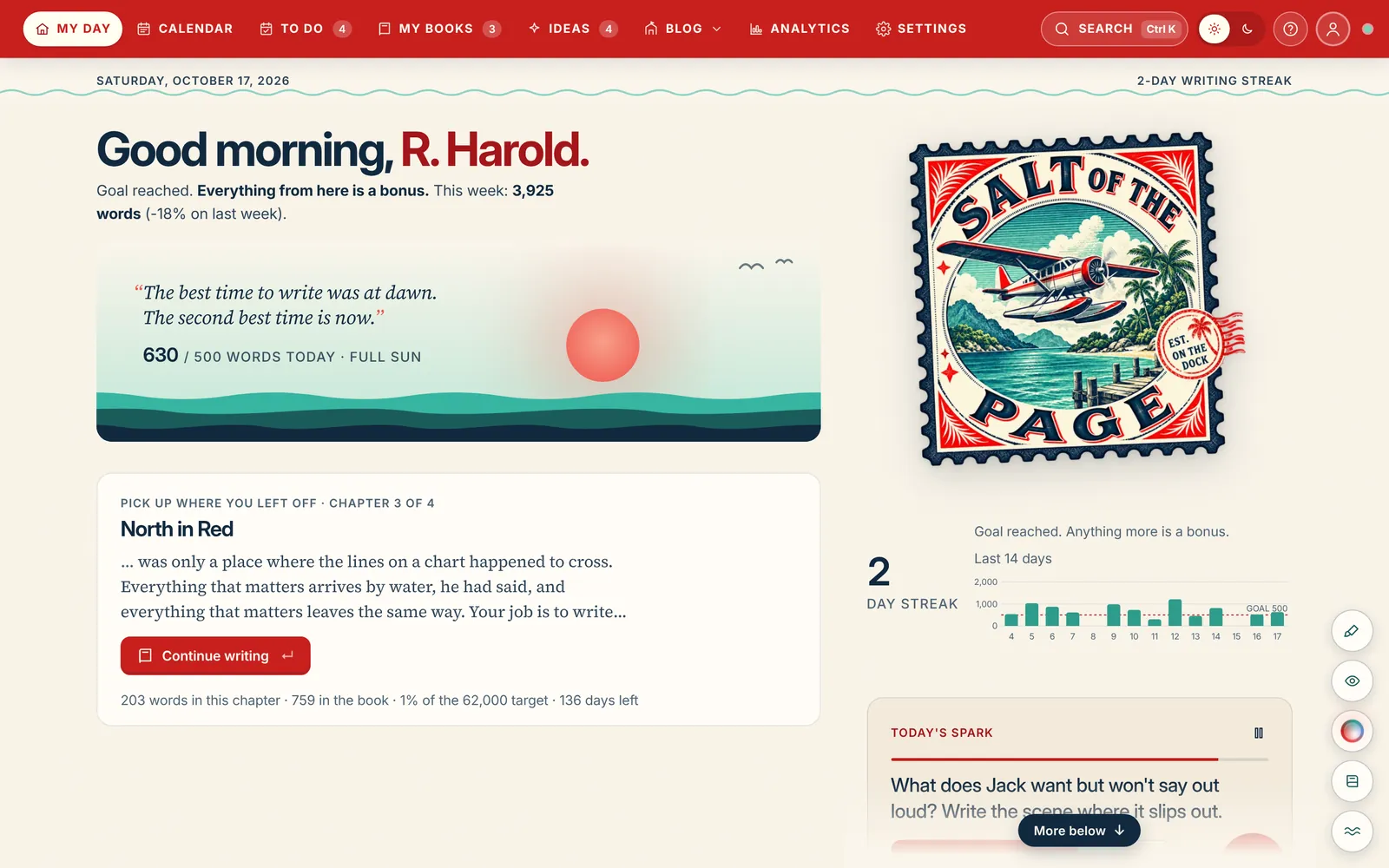
This is My Day, where each writing session starts. Switch between day and night to see both themes.
Why another writing app
We read what authors say about the tools they pay for. Then we built the opposite of the complaints.
Nothing gets lost
Every keystroke is saved on your device within two seconds, then shared. A sync conflict makes a side-by-side copy. It never overwrites a sentence.
Nothing covers the page
No red lines while you draft. First Mate, our checker, fixes obvious typos as you type, reviews the rest when you ask, and knows that dialogue is allowed to be a fragment.
Nothing slows down
Built for whole novels in one place. Typing stays quick at 150,000 words, and the book is yours to export in one click: Word, EPUB, print PDF, Markdown, a full backup.
Nobody writes it but you
The AI is a creative partner, not a ghostwriter. It's off until you connect yours, only ever suggests, never trains on your manuscript, and runs on your own AI account, so nobody is metering your words.
The writing room
A page that stays out of your way, and a studio one click to the side.
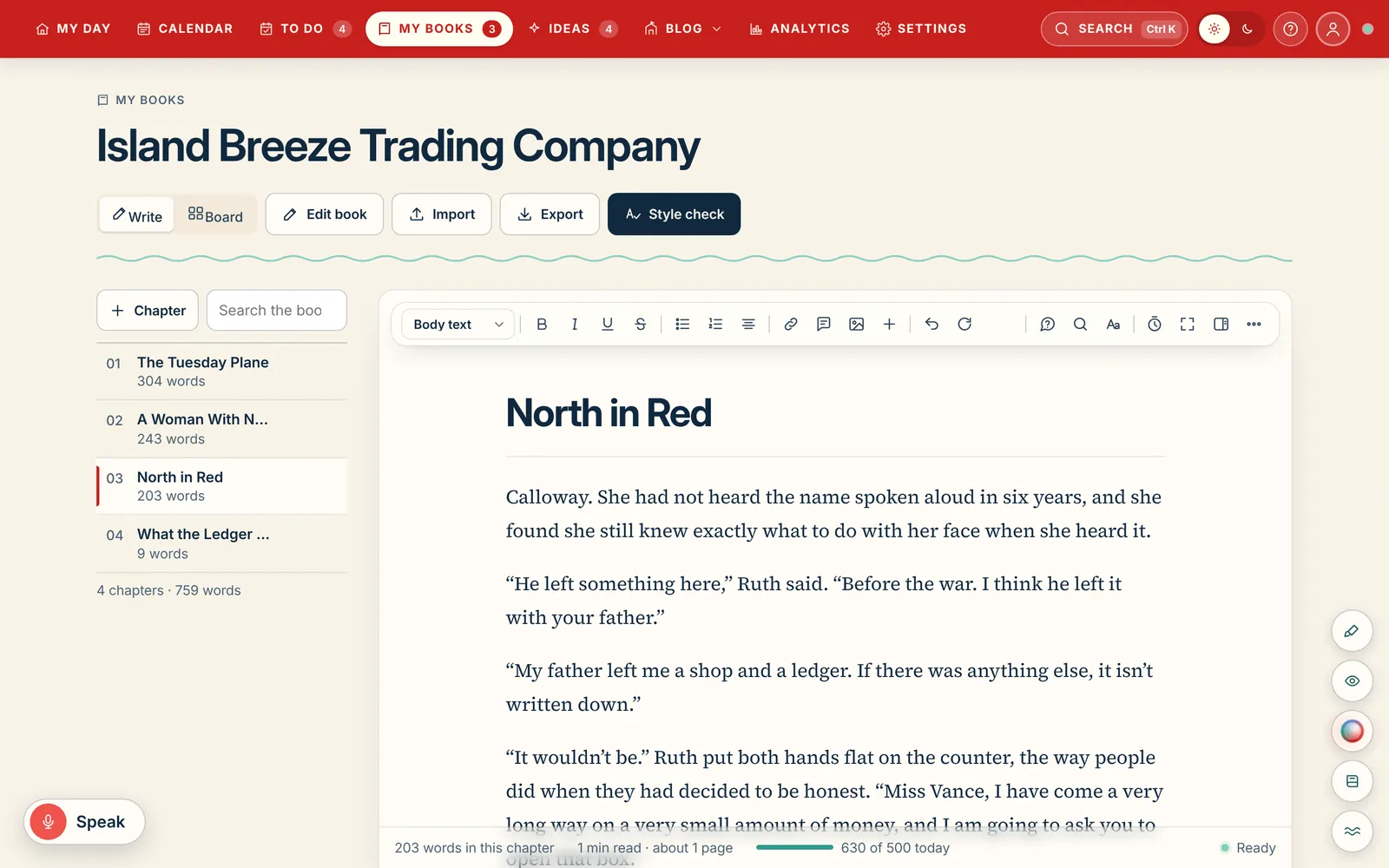
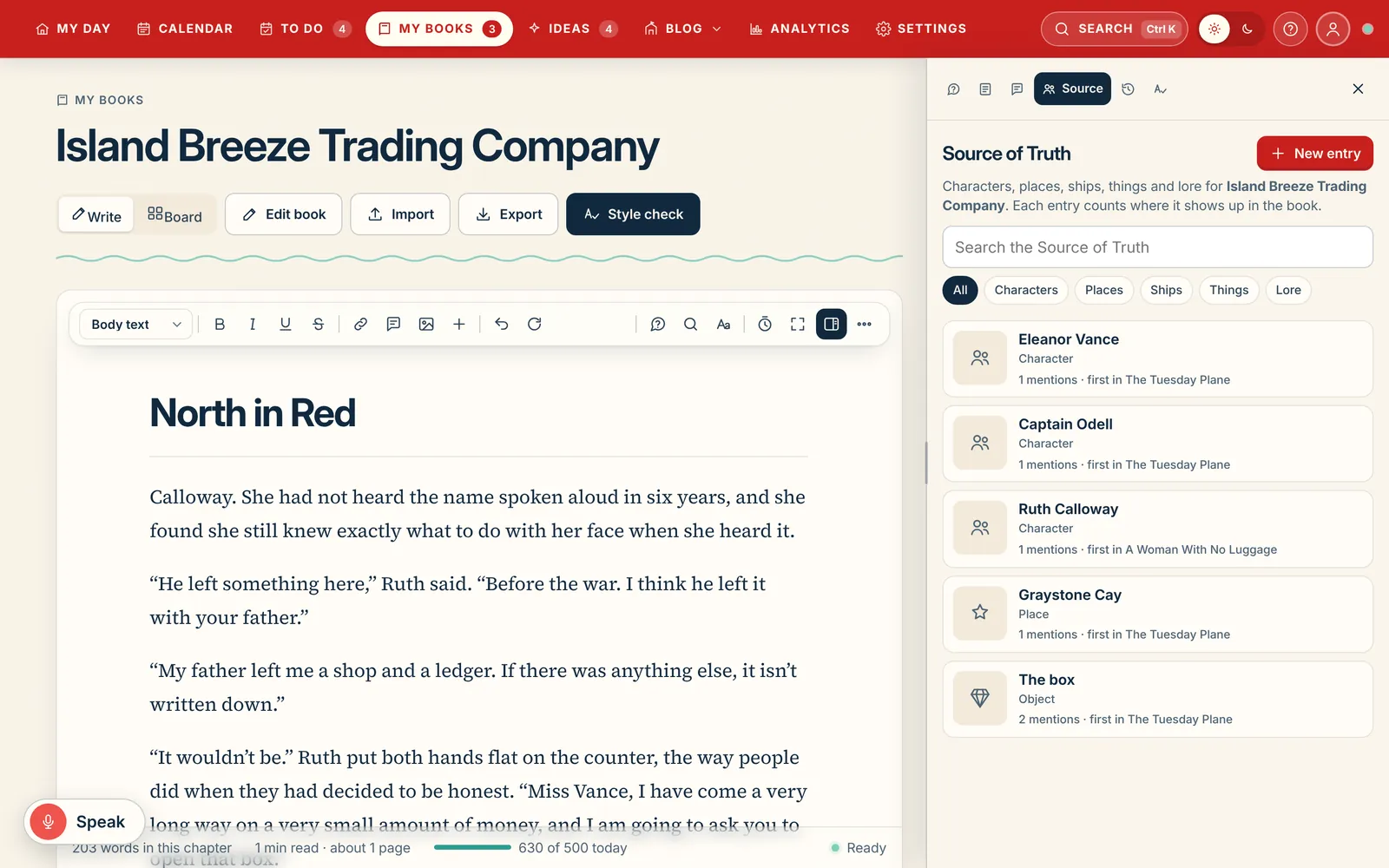
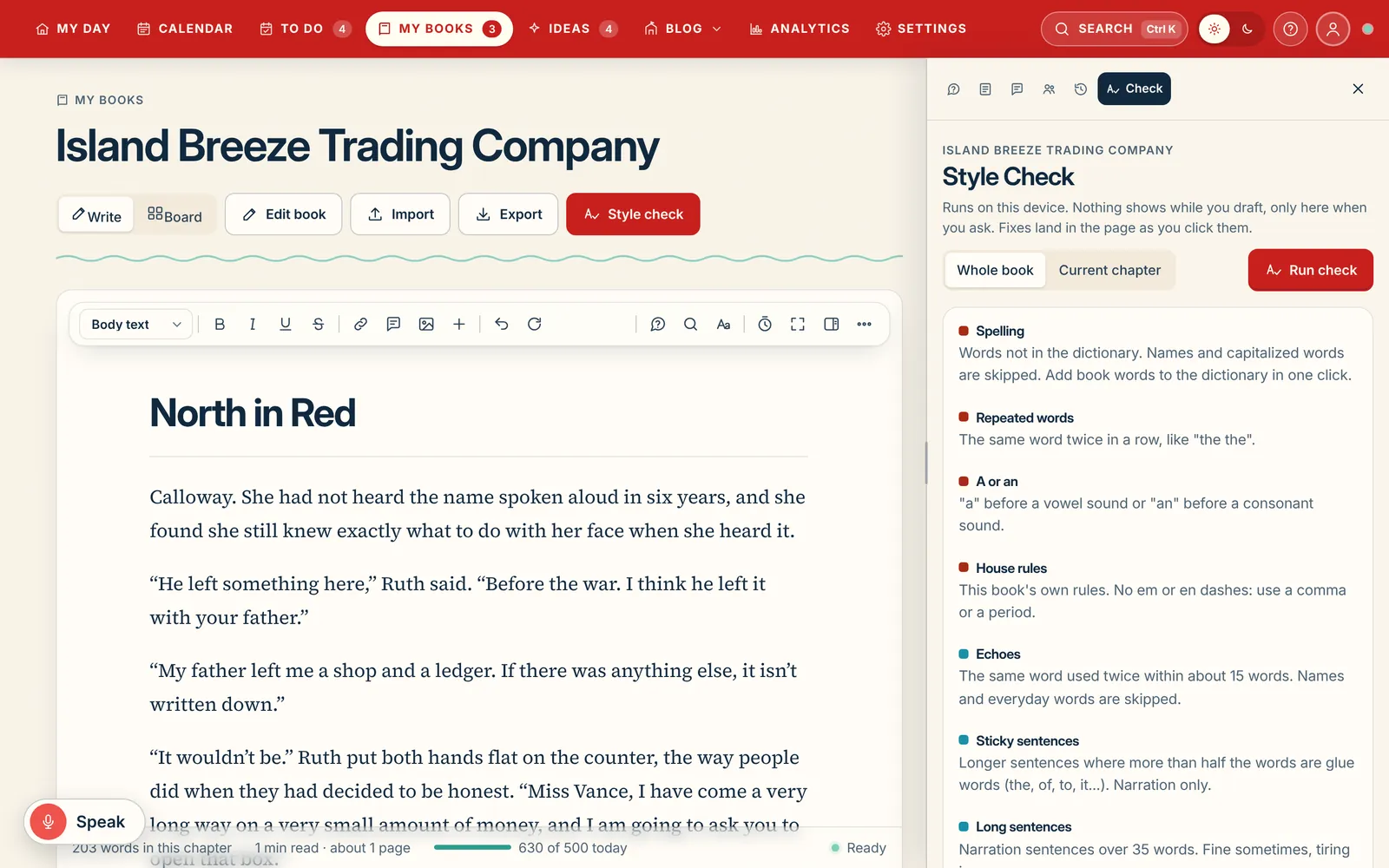
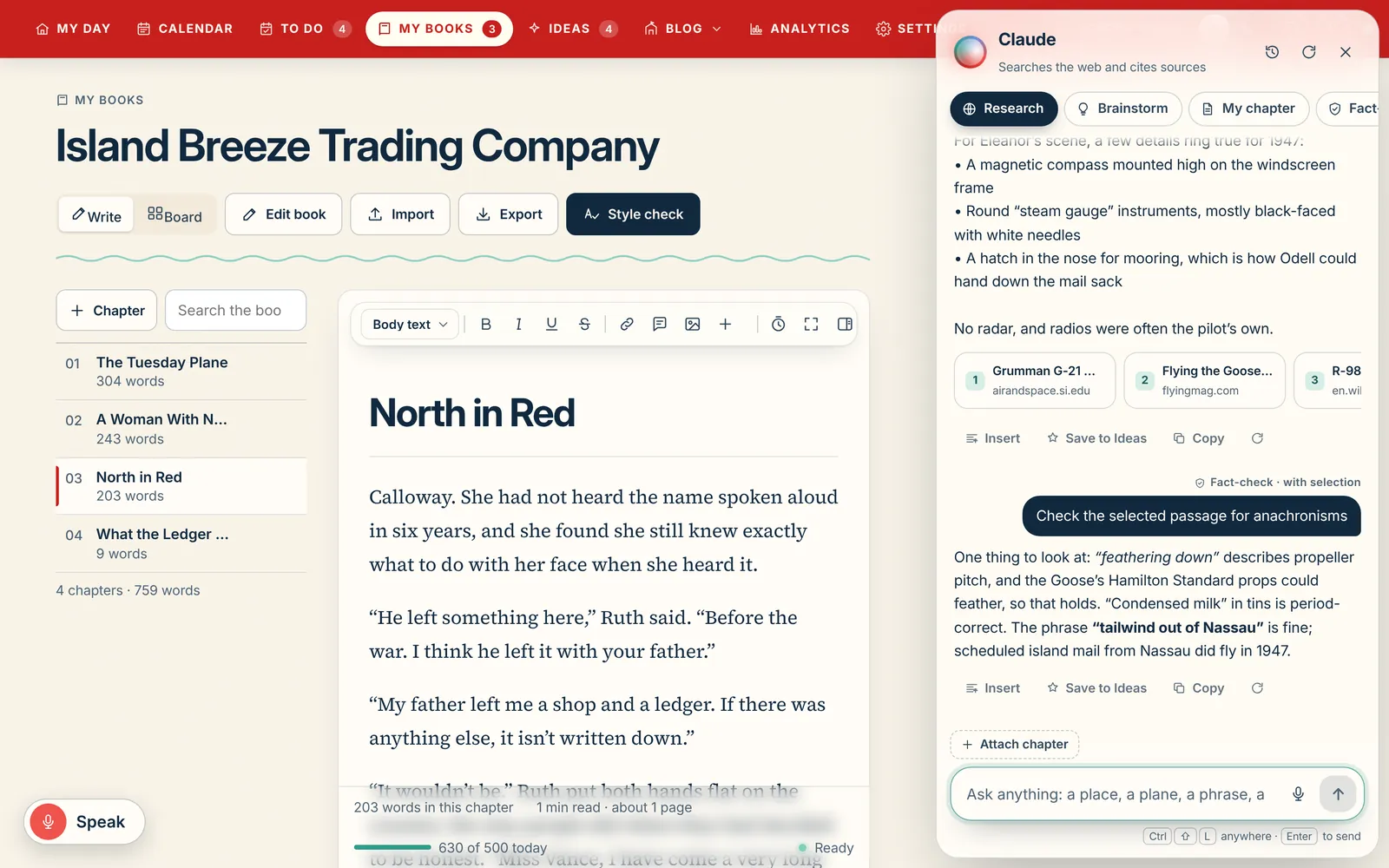
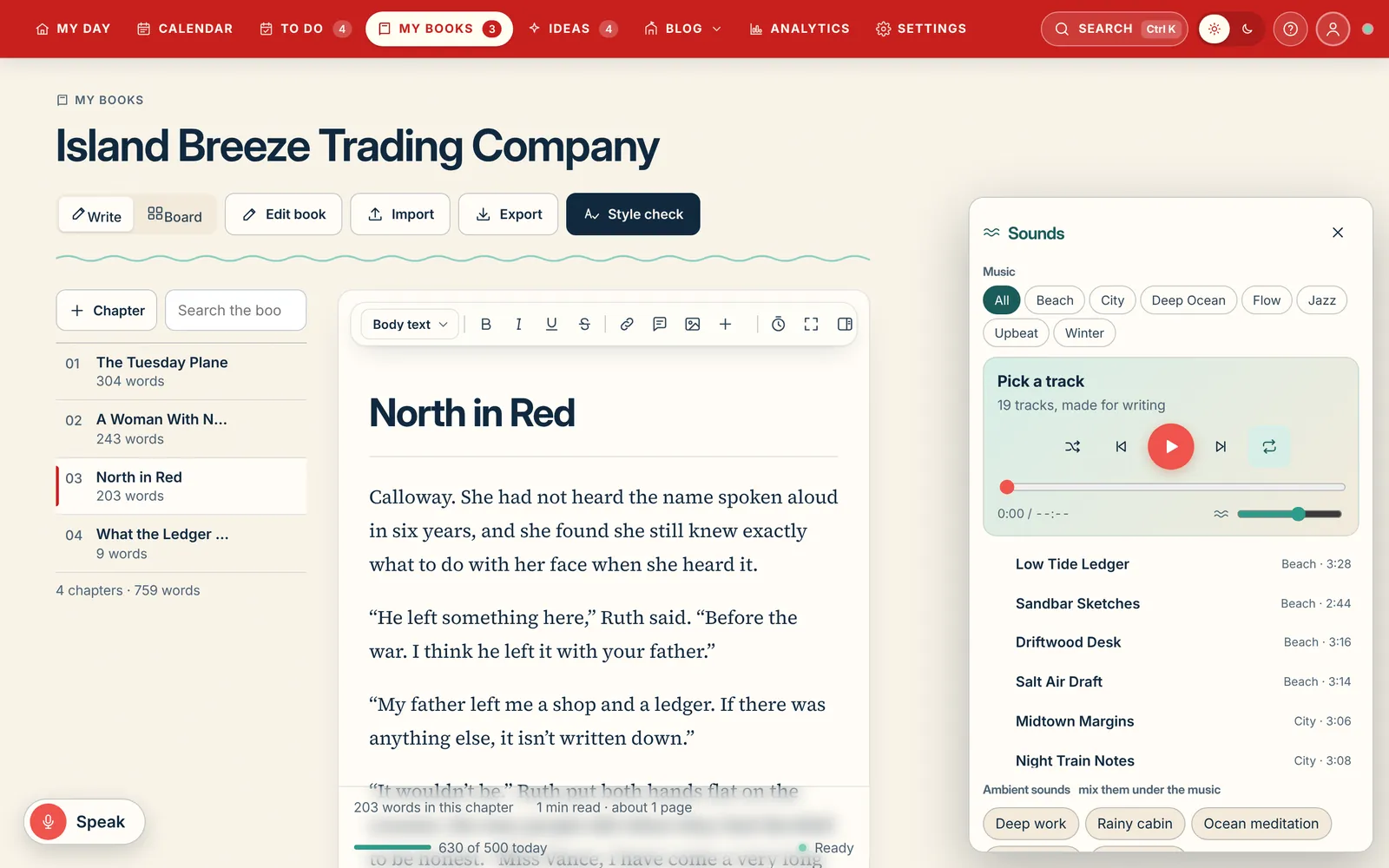
Serif type, a quiet toolbar, chapters down the left. When you need more, the Studio slides in beside the page: your Source of Truth for characters and places, margin notes, chapter history, and First Mate, the grammar and style checker.
Speak to write. A big mic button types where your cursor is, in every browser and the desktop app.
Search your book. Find every mention as you type, or ask a question and get answers from your own sentences, on-device, with continuity flags.
Focus mode and sprints. One obvious way in, one obvious way out, with chapter-to-chapter navigation.
Import anything. Word, Google Docs, PDF or pasted text, split into chapters in a preview before anything changes.
Find and fix everywhere. One correction, every place in the book, with Undo.
The page. Chapters, word counts, a one-line status that always says whether you're saved on this device or shared. Nothing else.
Source of Truth. Characters, places, ships, things and lore, each with a count of where it shows up in the book, so continuity is a search away.
First Mate. Typos fixed as you type, then spelling, grammar, consistency, style and your own house rules when you ask. It runs on this device, leaves dialogue alone and never rewrites your voice. Meet First Mate
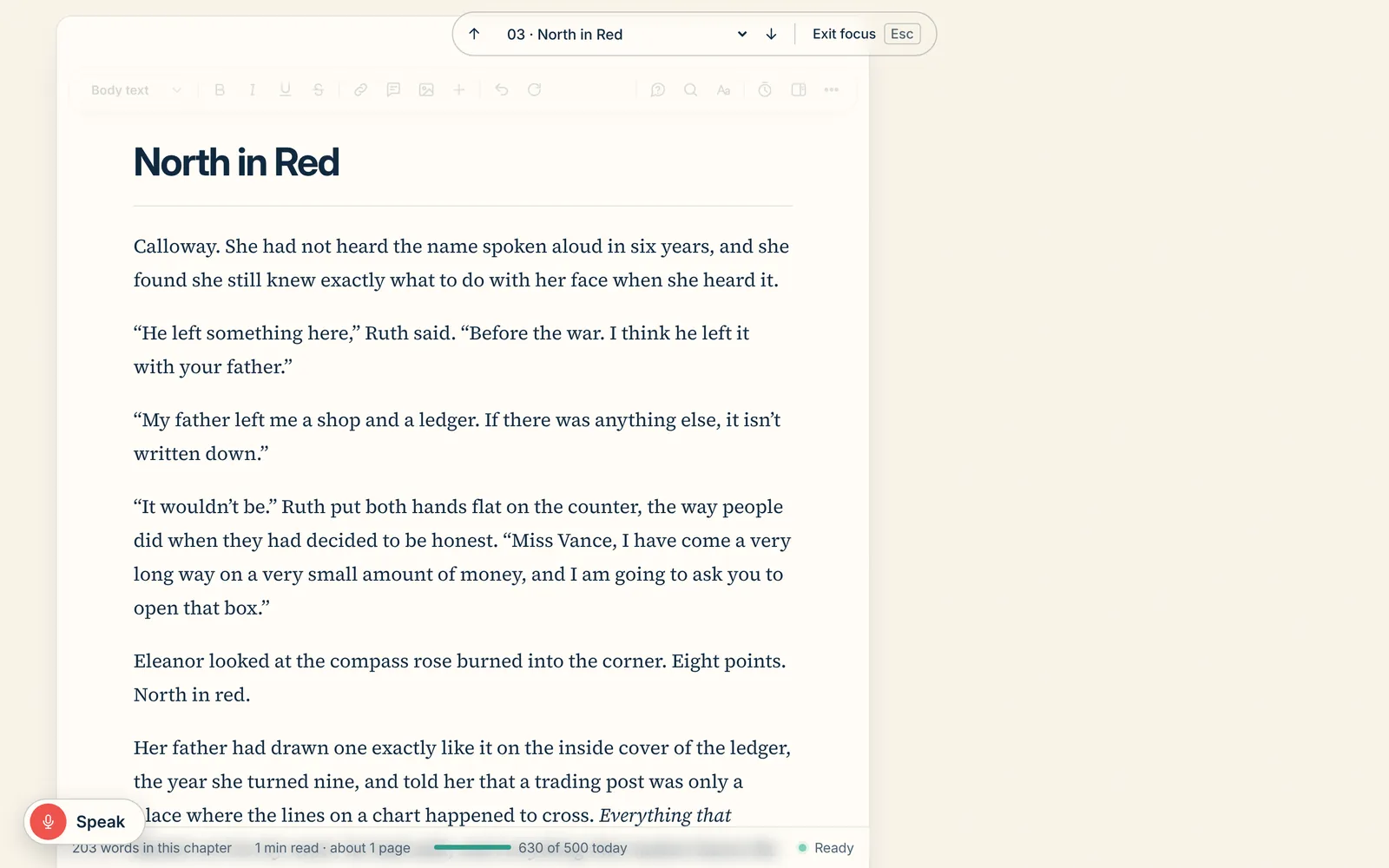
Focus mode. The page and nothing else. Step between chapters without leaving, and press Esc when you're done.
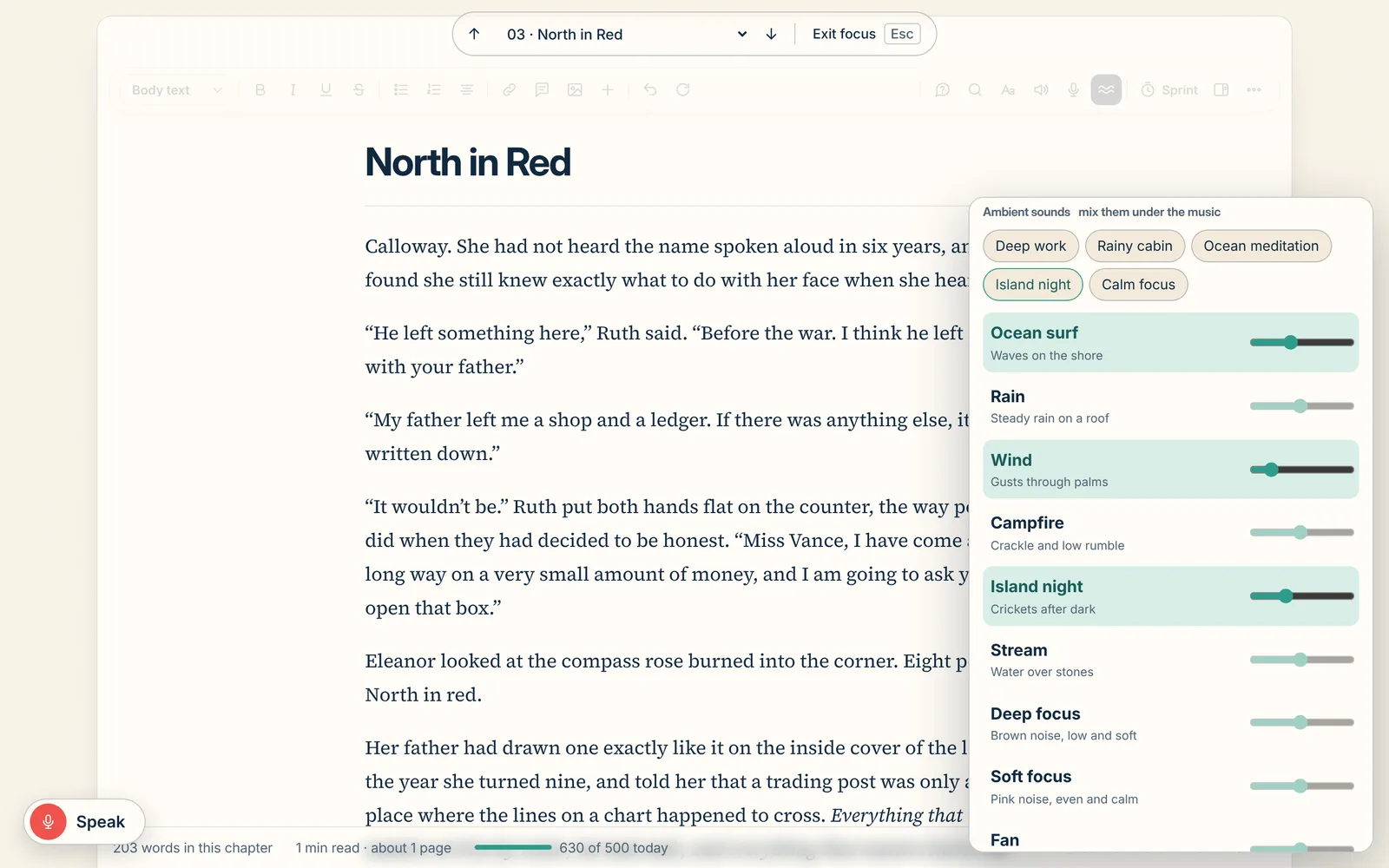
Focus mode clears away everything but the page. Then put on a track, mix in rain on the roof or waves on the shore, set a fade-out timer, and write until it stops. Go on, press play.
19+music tracks, and counting
14+ambient sounds to mix
5+ready-made scenes
1click into focus mode
An always-growing library. New tracks, sounds and scenes arrive with every update.
Everything else steps aside
The toolbar, the chapter list and every panel fade away. Just the page, in the type and width you chose.
Move through the book
A slim bar up top steps to the previous or next chapter (Alt Page Up, Alt Page Down) or jumps to any chapter, without leaving focus.
Sprints and today’s goal
Start a 15-minute sprint. Today’s words against your goal sit quietly along the bottom.
One obvious way out
Press Esc or Exit focus and you’re back exactly where you were.
Try it right here
Put a track on, then tap any sound to layer it underneath. Best with headphones.
Music 75-second previews of all 19 tracks
Low Tide LedgerBeach · track 1 of 19
Ambient sounds tap a sound to turn it on, slide to mix
Chapter 1: The Goose at DawnHer seaplane, a red Grumman Goose, rocked at the end of the dock…
Chapter 3: Weather ComingIn the flat light the blue Goose looked smaller than it was.
See it as a book
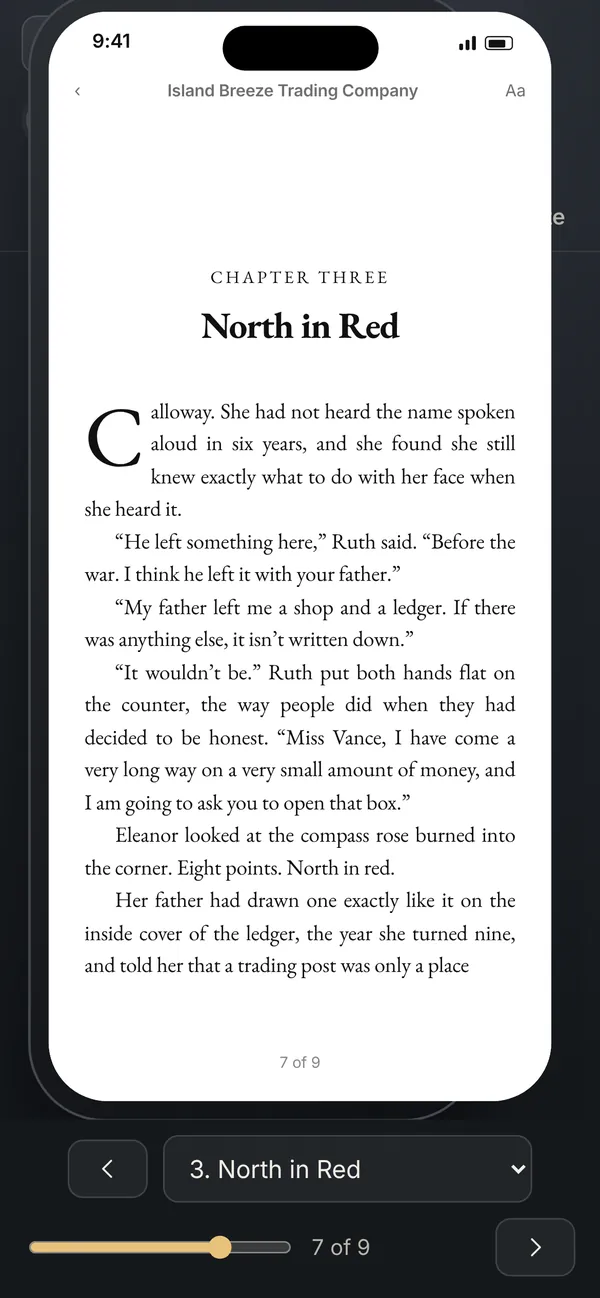
Turn the page on a paperback, a Kindle, an iPhone and an iPad, while you're still writing it.
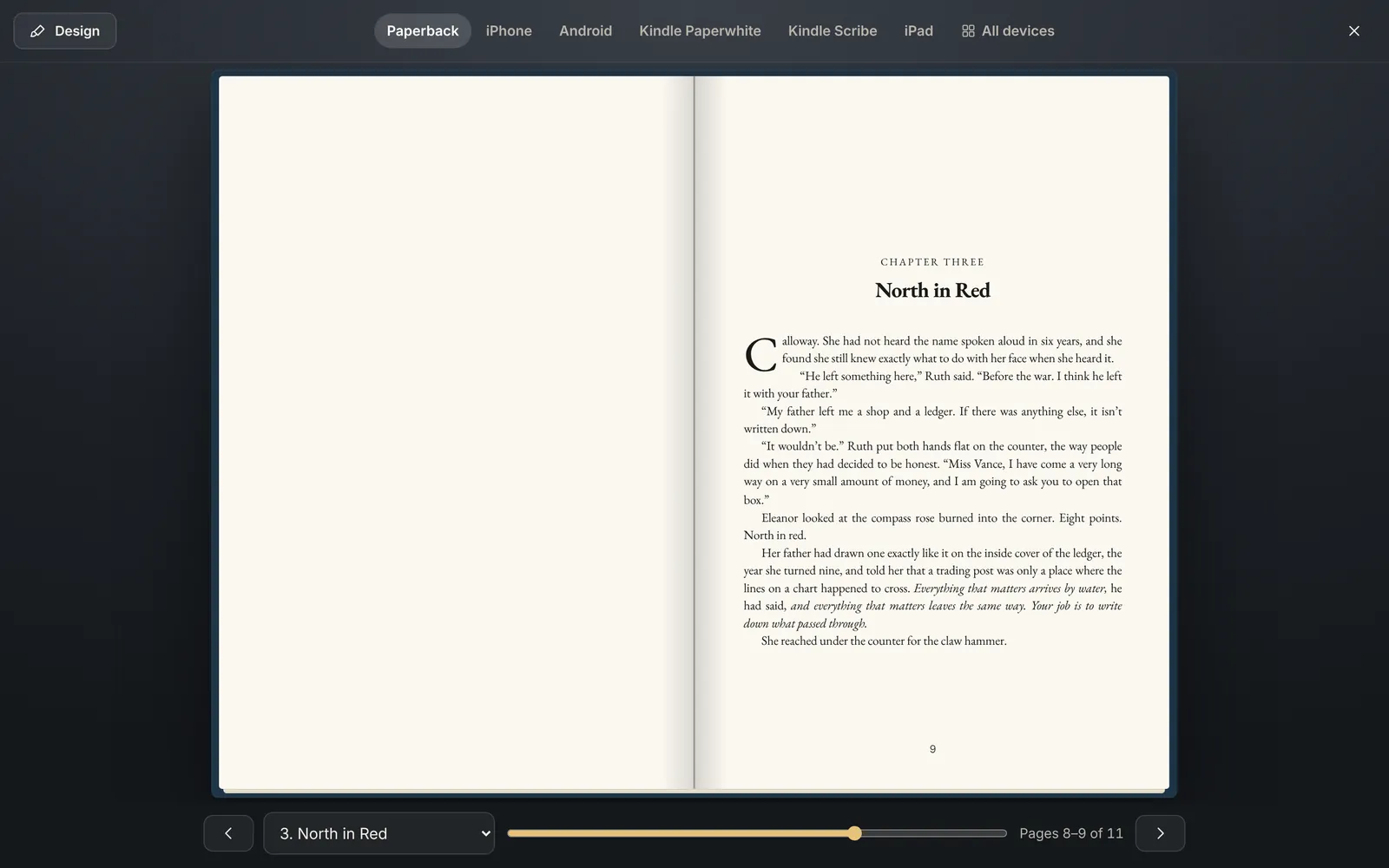
One keystroke lays your draft out as a real two-page spread with running heads, folios and front matter. The same book is set properly for Apple Books, the Kindle app, a Paperwhite with its E Ink page flash, a Scribe and an iPad. Turn pages with the arrow keys, a swipe or a click.
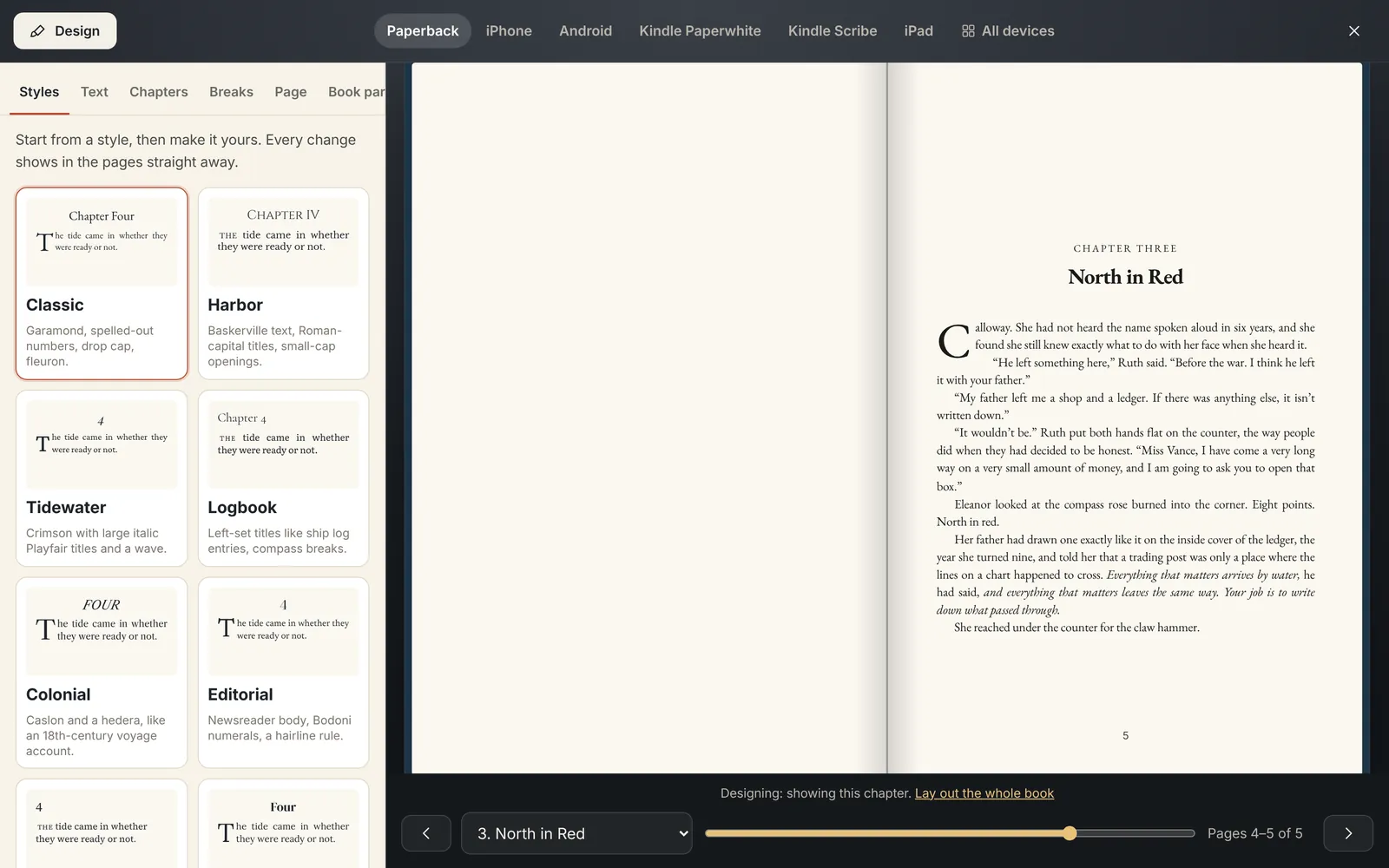
Paperback. A real spread with a paper page turn, chapters opening on right-hand pages, and page counts that match your trim size.
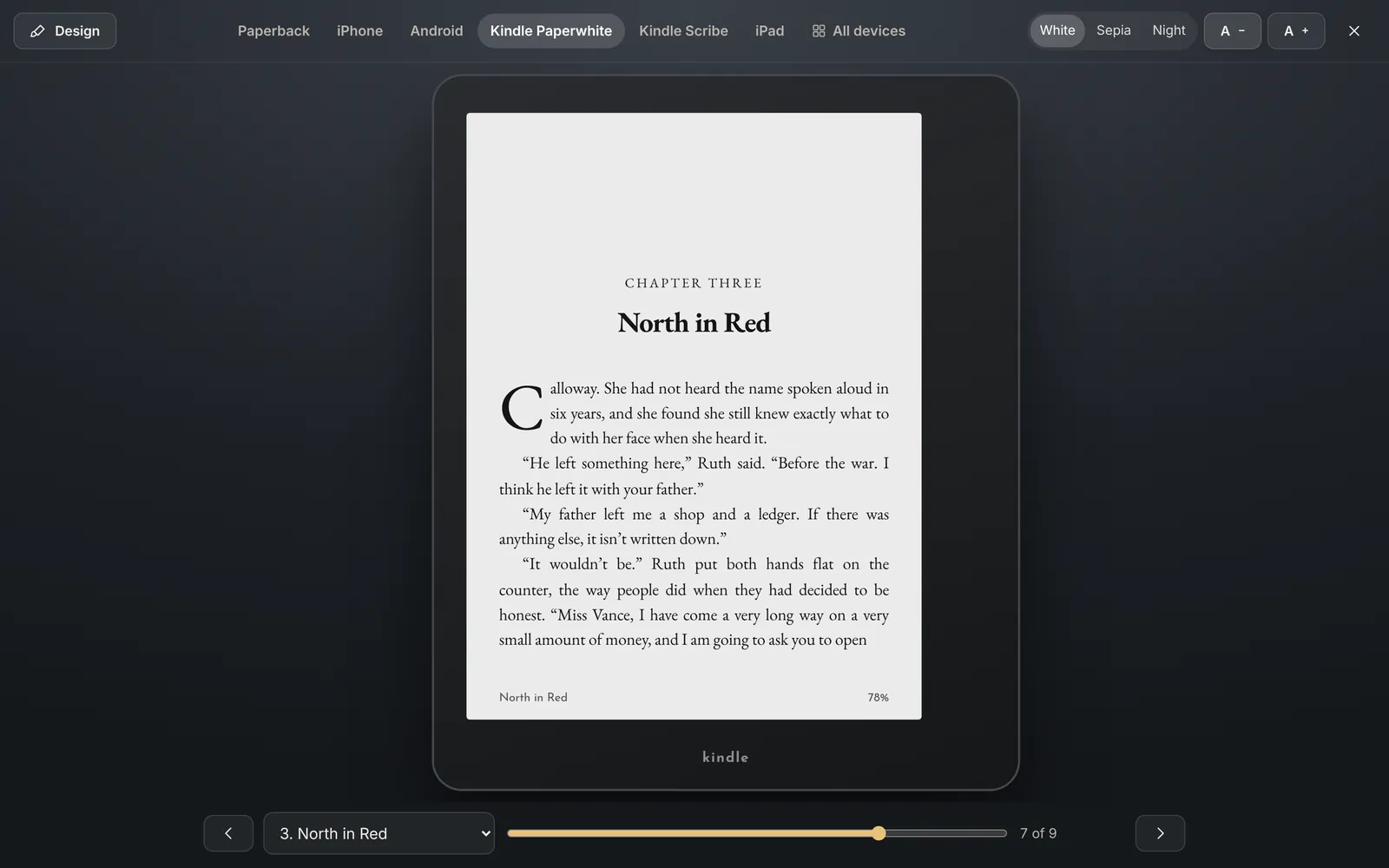
Kindle Paperwhite. E Ink, with the page-turn flash, so you know how the chapter breaks before a reader does.
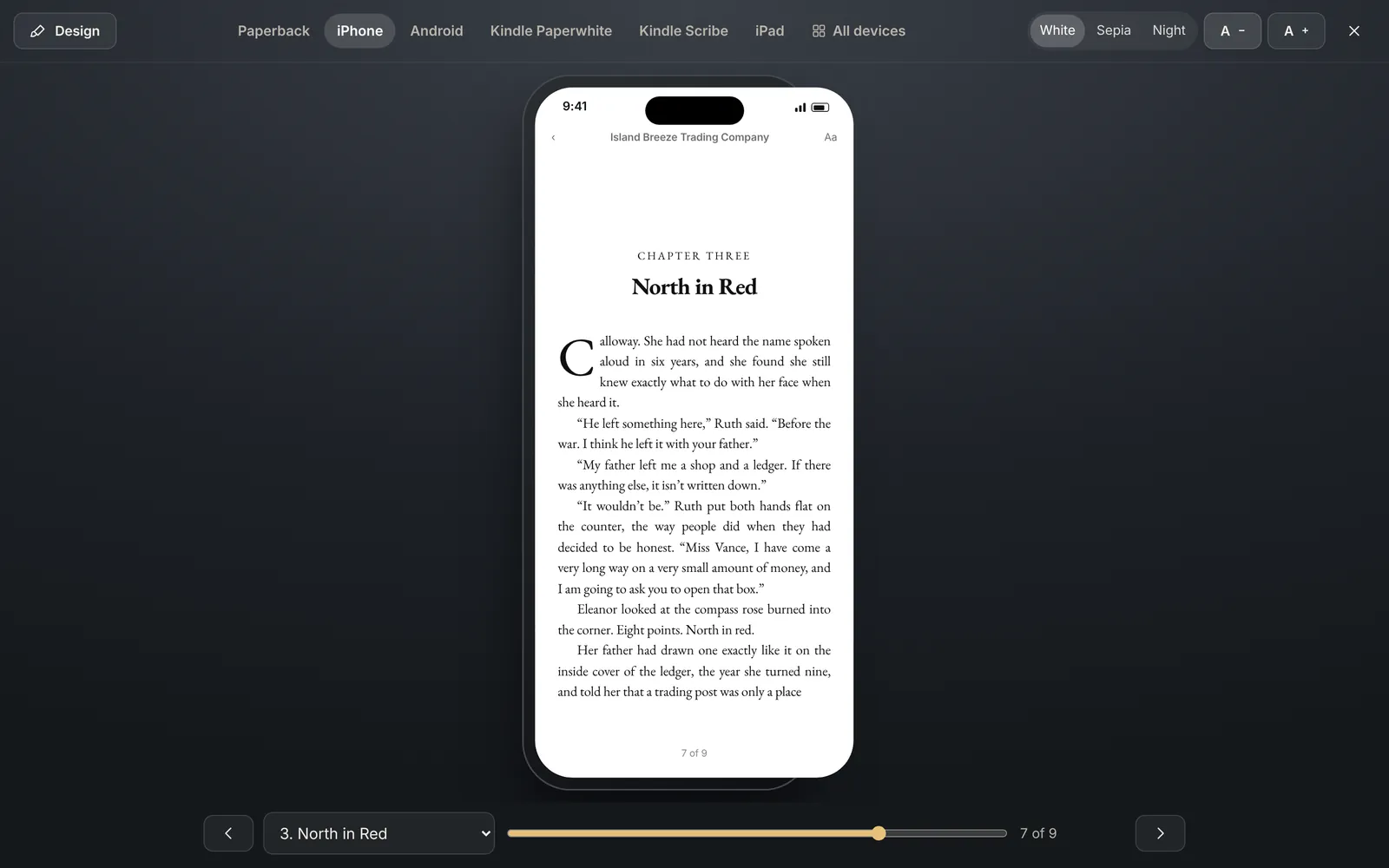
iPhone. Apple Books sizing, with White, Sepia and Night pages and text sizes to test.
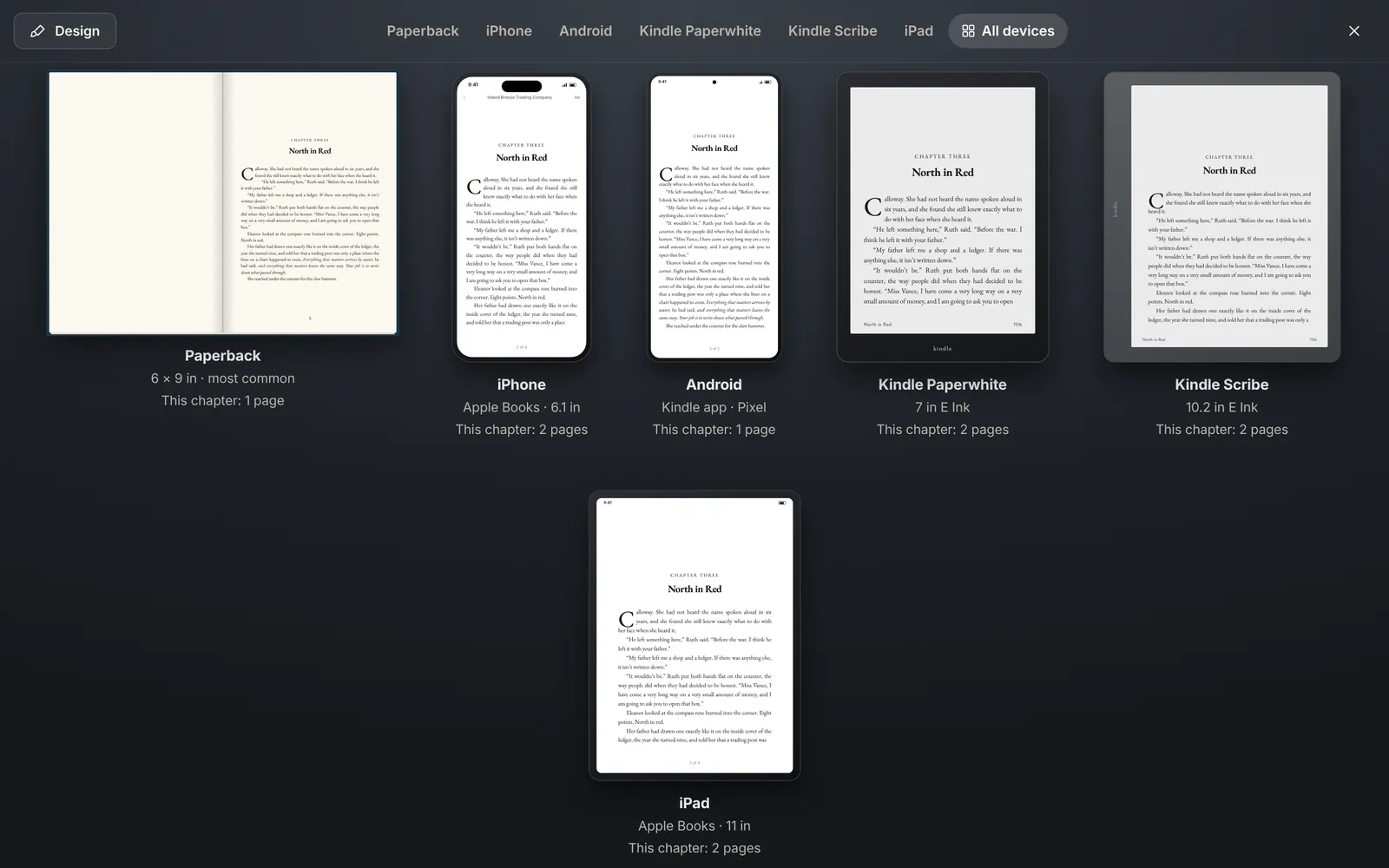
All devices. The current chapter's opening on every device at once, each with its own page count.
Book design. Ten built-in looks and your own saved styles. 18 book fonts, 27 heading fonts, drop caps, small caps, 15 scene-break ornaments, 7 trim sizes, margins that grow with page count to stay above KDP's minimums. Every change shows on the page as you make it.
The same design drives the files you upload.
Export an EPUB that passes the validator every time, a print PDF with mirrored margins and a gutter sized to your page count, or a Word file that opens cleanly. Fonts are embedded and free to use in books. A publishing guide walks you through KDP, IngramSpark, Draft2Digital, Apple, Kobo and Barnes & Noble.
EPUB, validatedPrint PDF, 6×9, 5.5×8.5, 5×8, 5.25×8Word .docx round tripMarkdown and full ZIP backupBook covers on the shelfFront matter, dedication, ISBN, about the author
The AI won't write your book. It's here to help you write it.
Salt of the Page isn't built to churn out chapters. The story is yours, and so is every sentence in it. The AI is a tool for the hard days: it looks things up, throws out ideas, asks the question you hadn't thought of and checks your facts, so the creative juices keep flowing and you keep moving. Connect the AI you already use, or leave it off entirely.
You don't have to know how to talk to an AI. We've written the rulebook for it: how to help an author, what never to touch, and how to answer. Plug yours in and it reads those rules every time, so you get the best help from the first question.
Bring the AI you already use. It takes about a minute.
Pick your AI. Claude, ChatGPT, Gemini, or a model running on your own computer.
Paste your key. Settings shows you exactly where to get it and checks it works.
Write. Your AI reads our rules and guidelines first, every time, then helps in the AI panel, beside every text box and in the blog idea generator.
Get a key from your Anthropic account at console.anthropic.com. Pay-as-you-go; set your own monthly limit there.
Get a key from your OpenAI account at platform.openai.com. Pay-as-you-go; set your own monthly limit there.
Get a key from Google AI Studio at aistudio.google.com. Google offers a free tier to start.
Run a free model on your own machine with Ollama or LM Studio. No key, no bill, and nothing leaves your computer.
Good to know: a ChatGPT Plus or Claude Pro subscription is separate from a key. A key is its own pay-as-you-go account, and you pay the AI company directly for what you use. We never charge for AI, never see your bill and never sit in the middle.
Off is complete.
First Mate, Ask the book, the dictionary, imports, exports and the book preview all run on your own device. No request goes anywhere. The status line says "saved on this device" and means it.
Writers who want nothing to do with AI get the whole studio. There is no reduced version, and you can connect an AI later if you change your mind.
Shown connected to Claude. With ChatGPT, Gemini or a local model it looks and works the same.
We wrote the rules, so you don't have to.
Every AI is different, and most need careful instructions to be useful to a writer. Salt of the Page hands yours a full set of house rules before it answers anything. Whichever AI you connect, it gets the same instructions and behaves the same way.
Help, never ghostwrite. Suggest, research and question. Never draft the book's prose.
Respect the author's voice. Match the book's style, period and point of view; never "fix" it into something generic.
Know the book. Read the Source of Truth and the open chapter before answering, so names, places and facts stay straight.
Show your sources. Back up research with numbered, checkable links, and say plainly when something is uncertain.
Leave the page alone. Nothing goes into the manuscript unless the author puts it there.
Keep it short and useful. Clear answers in the writer's language, with options instead of lectures.
What it's for
Getting unstuck. Five ways a scene could go, when you've stared at the same paragraph too long.
Research with receipts. What a 1947 cockpit looked like, with numbered sources you can check.
A second pair of eyes. Fact-check a passage for the period, or ask what a chapter is really about.
Sparks. Blog ideas, newsletter angles and prompts drawn from your own manuscript.
What it won't do
Write the book for you. There's no "generate chapter" button, and there never will be.
Change your words. Every suggestion waits beside the page until you choose to use it.
Learn from your manuscript. Your writing never trains an AI.
Nag you. It stays out of sight until you ask it something.
What a question costs. You pay your AI company directly, by the request. With an everyday model like Claude Sonnet:
The promise, in plain words. The AI assists; you write. Your manuscript never trains an AI. AI is off until you connect yours, and it is turned on per feature, per book. It never changes your text directly: every suggestion arrives as something you accept or reject. You choose the provider, your key stays on your devices, and we never see your prompts or your AI bill.
A book is a blog, a newsletter and a calendar too. So they're in here, for as many sites as you run.
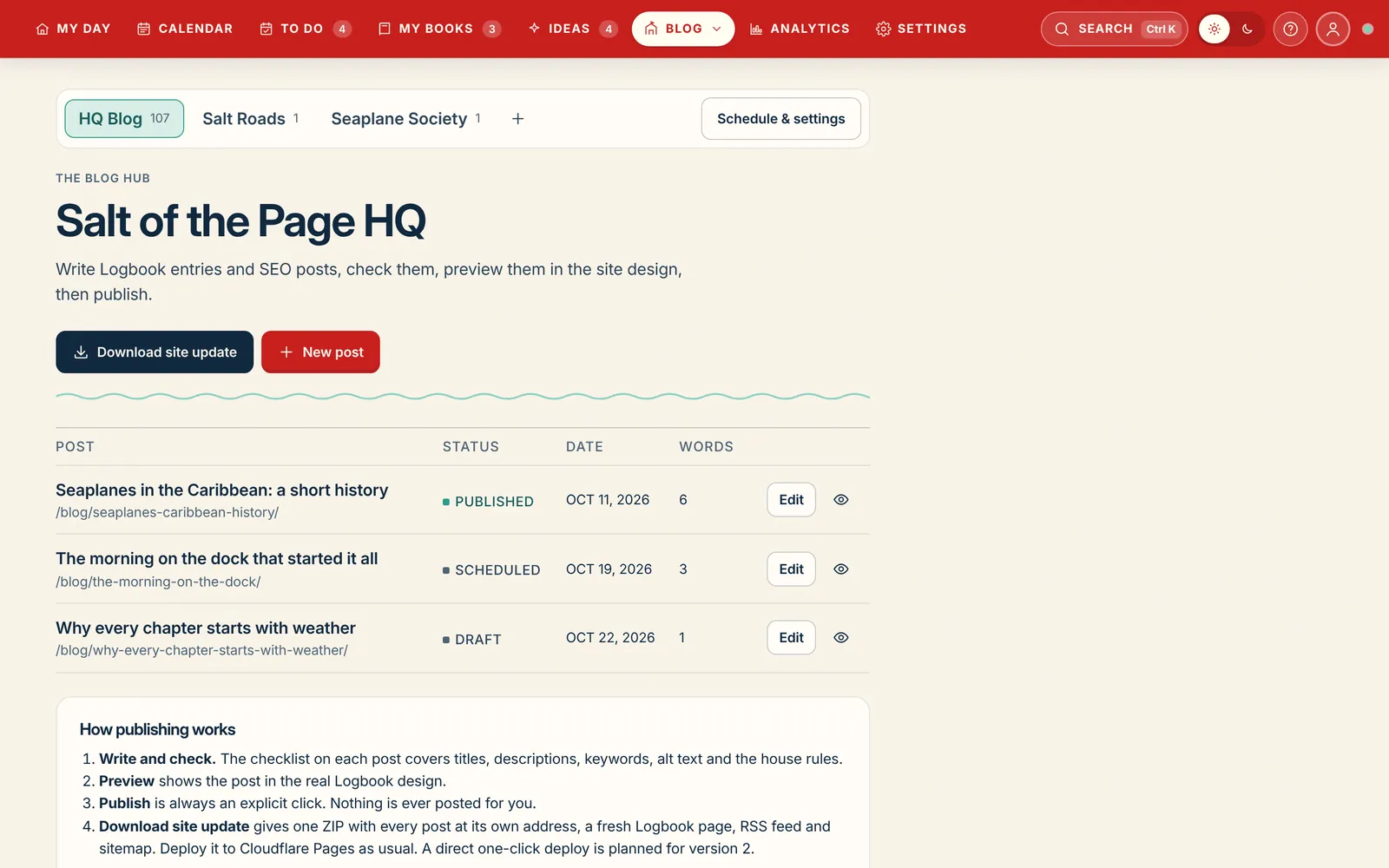
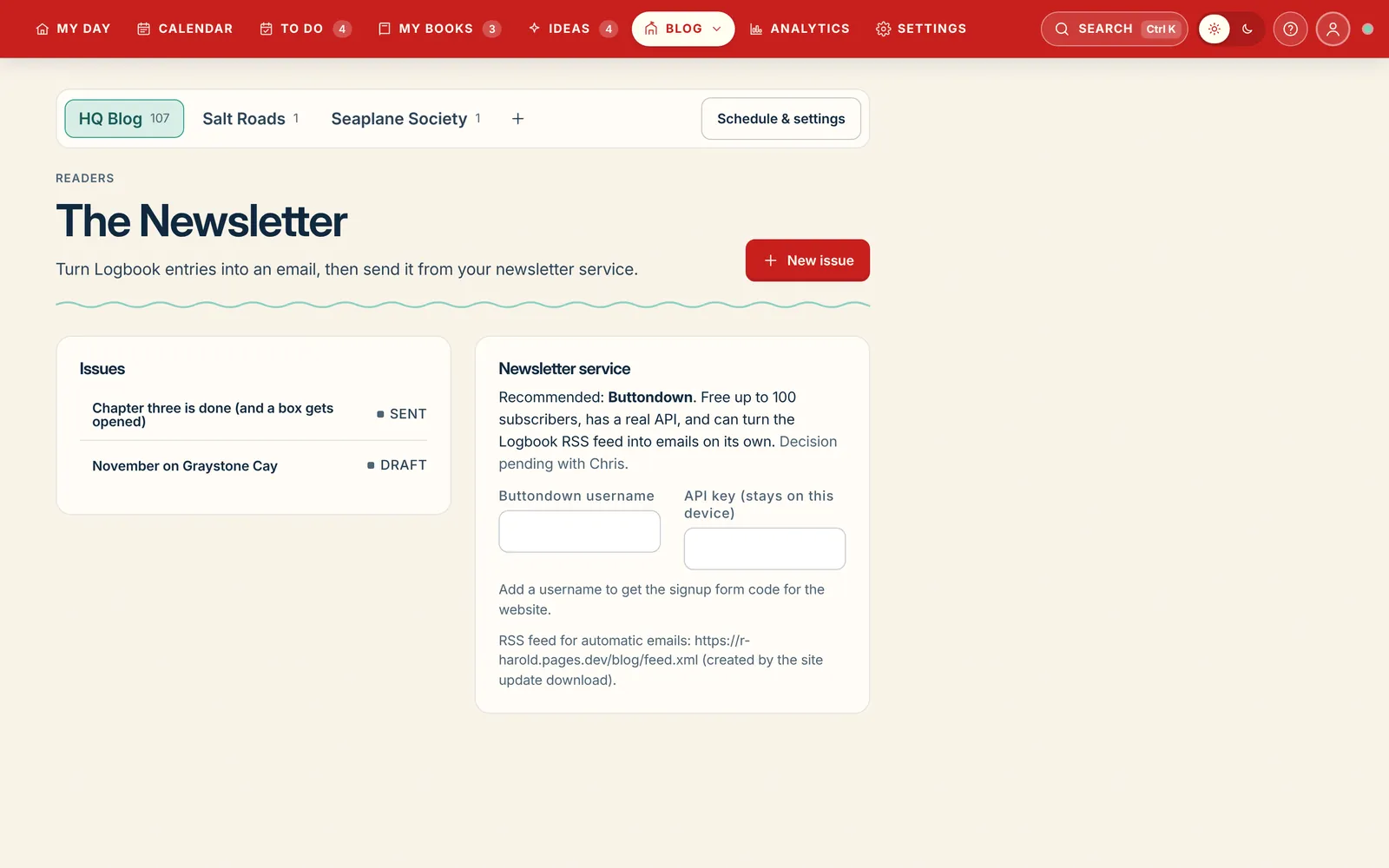
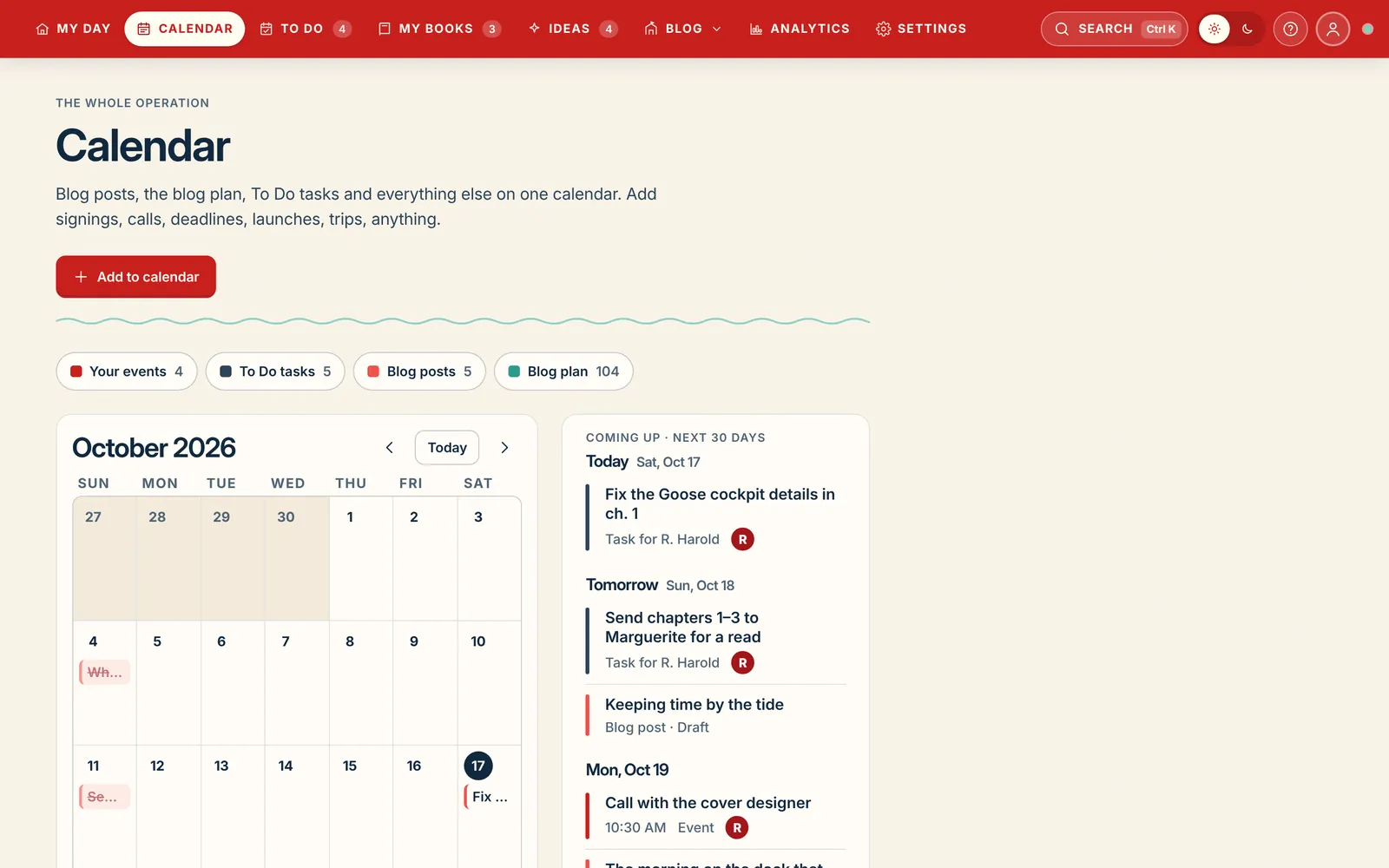
Salt of the Page is a hybrid on purpose. Beside the manuscript sits a blog hub for every website you publish to, a newsletter that turns Logbook entries into email, and one calendar that holds the whole operation.
Blogs, plural
A bar switches between blogs, and + adds another. Each one keeps its own posts, ideas, site address, start date and posting days. Write, check, preview the post in your site's design, then publish with one explicit click. Nothing goes live without a preview.
Newsletters, plural
Turn a Logbook entry into an issue, send it through your newsletter service, and keep the sign-up form on your site. Run one list per site or one list for all of them.
One calendar for everything
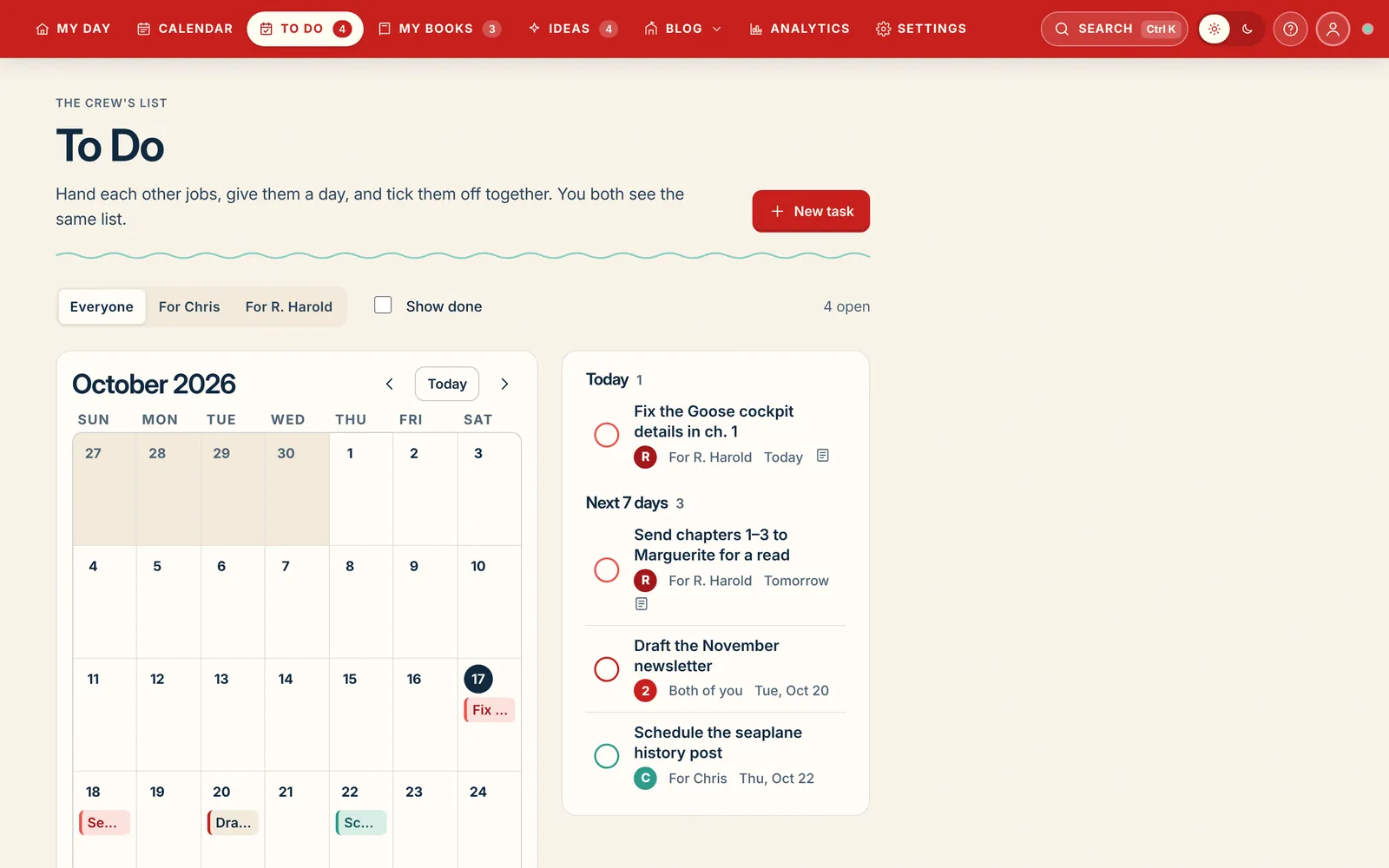
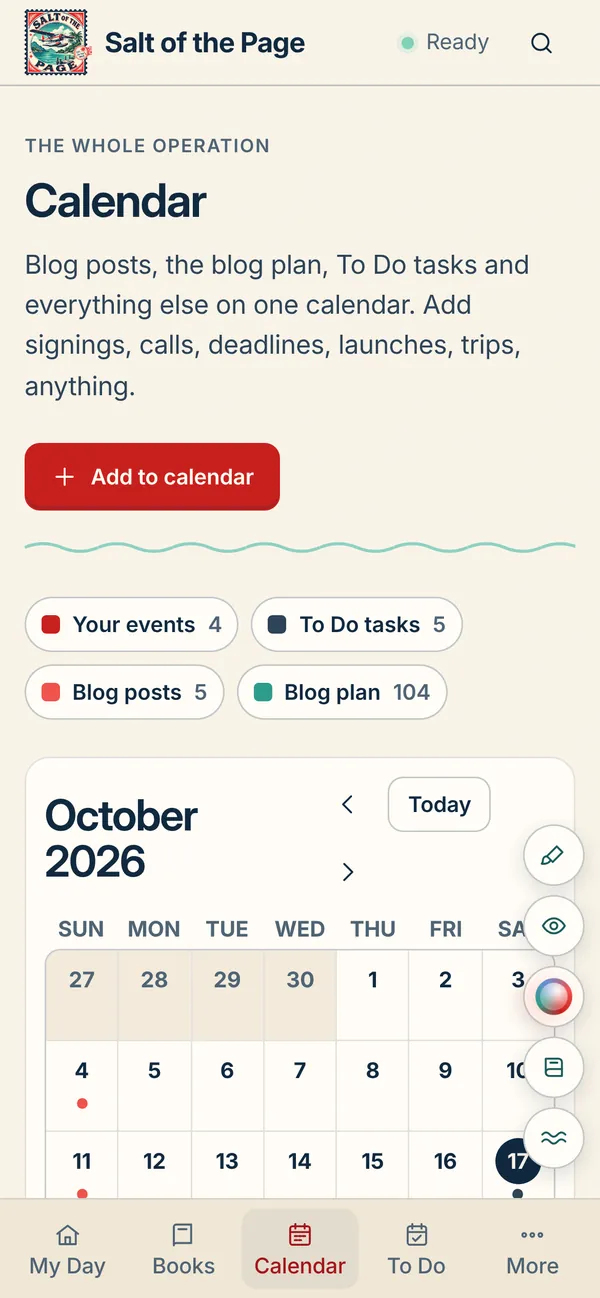
Signings, calls, deadlines, launches and trips sit next to every blog's posts, the 52-week blog plan and the To Do list. Filter by kind, or see the next 30 days as a list.
Blog Ideas
A year of posts, charted like a voyage.
Blank calendars are where blogs go quiet. Blog Ideas lays every post your blog could carry along a dotted route: a stop each week, a post every Tuesday and Thursday, for 52 weeks. Pick a week below and see its sailing orders.
The voyage
Every dot is a week. The seaplane marks this week, gold dots are being written and green ones are published. Pick a week to see just its posts.
Your sailing orders
This week’s two posts, stamped with the day and who’s writing it. Press Start writing and a draft opens in the blog hub with the title and notes filled in.
Draw a wild card
Not feeling this week’s pair? Deal one idea from anywhere on the route instead.
Islands
Each topic is an island. Bigger islands hold more ideas, and a green flag means one has been published. Pick one to see only its ideas.
Islands Each topic is an island. Pick one to light up its weeks.
A good day's work
Built to get you back to the desk tomorrow.
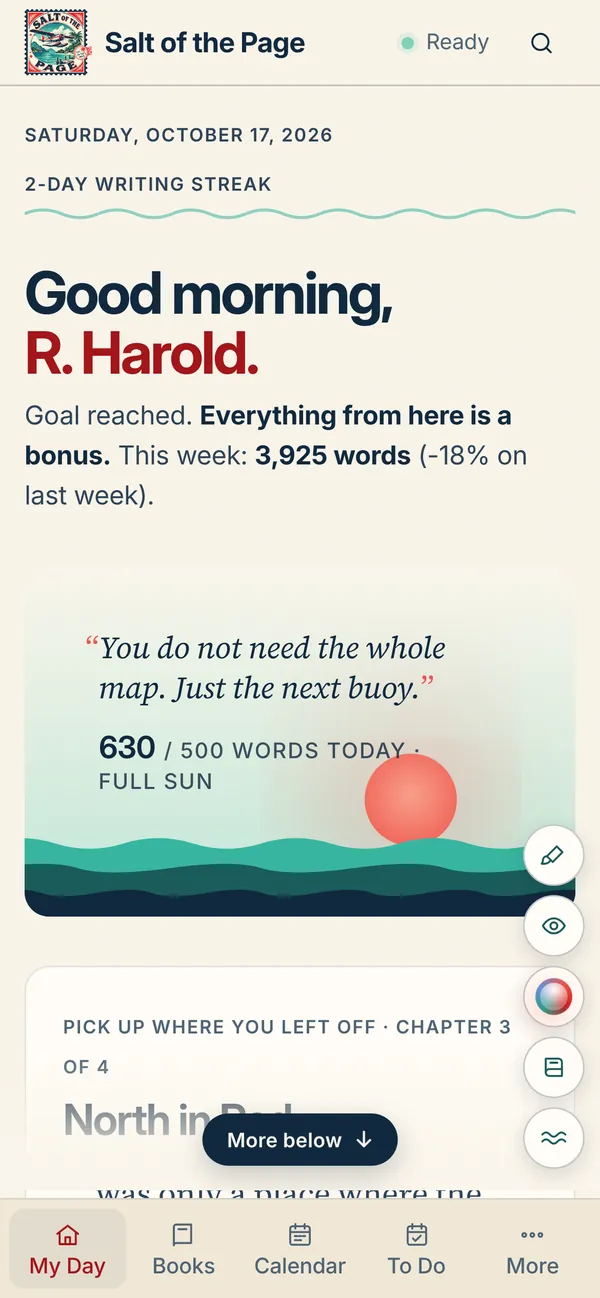
My Day greets you with today's words, a sunrise that fills as you write, your streak, the chapter you left off in and a spark to start from. The rest of the room is there when you want it.
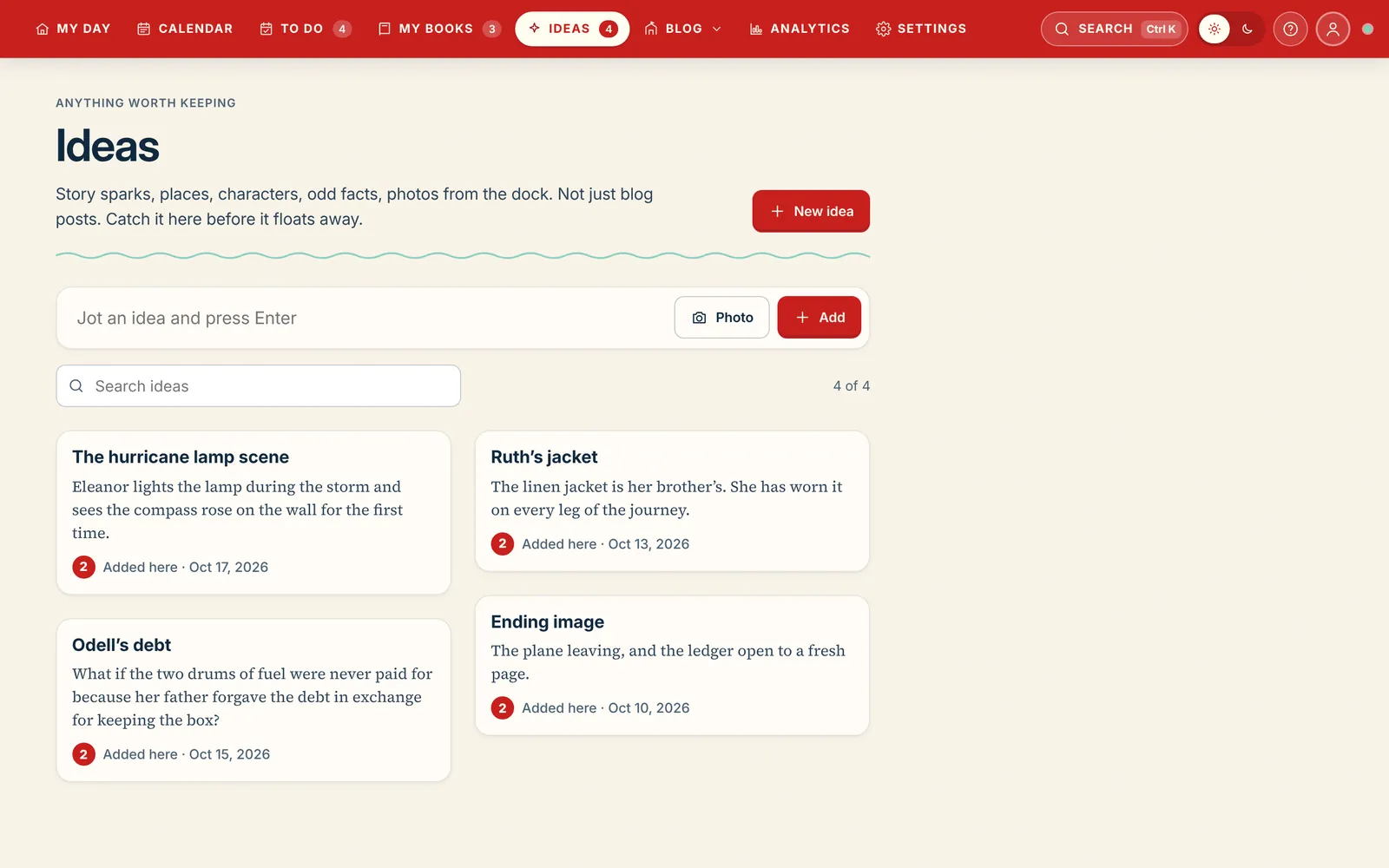
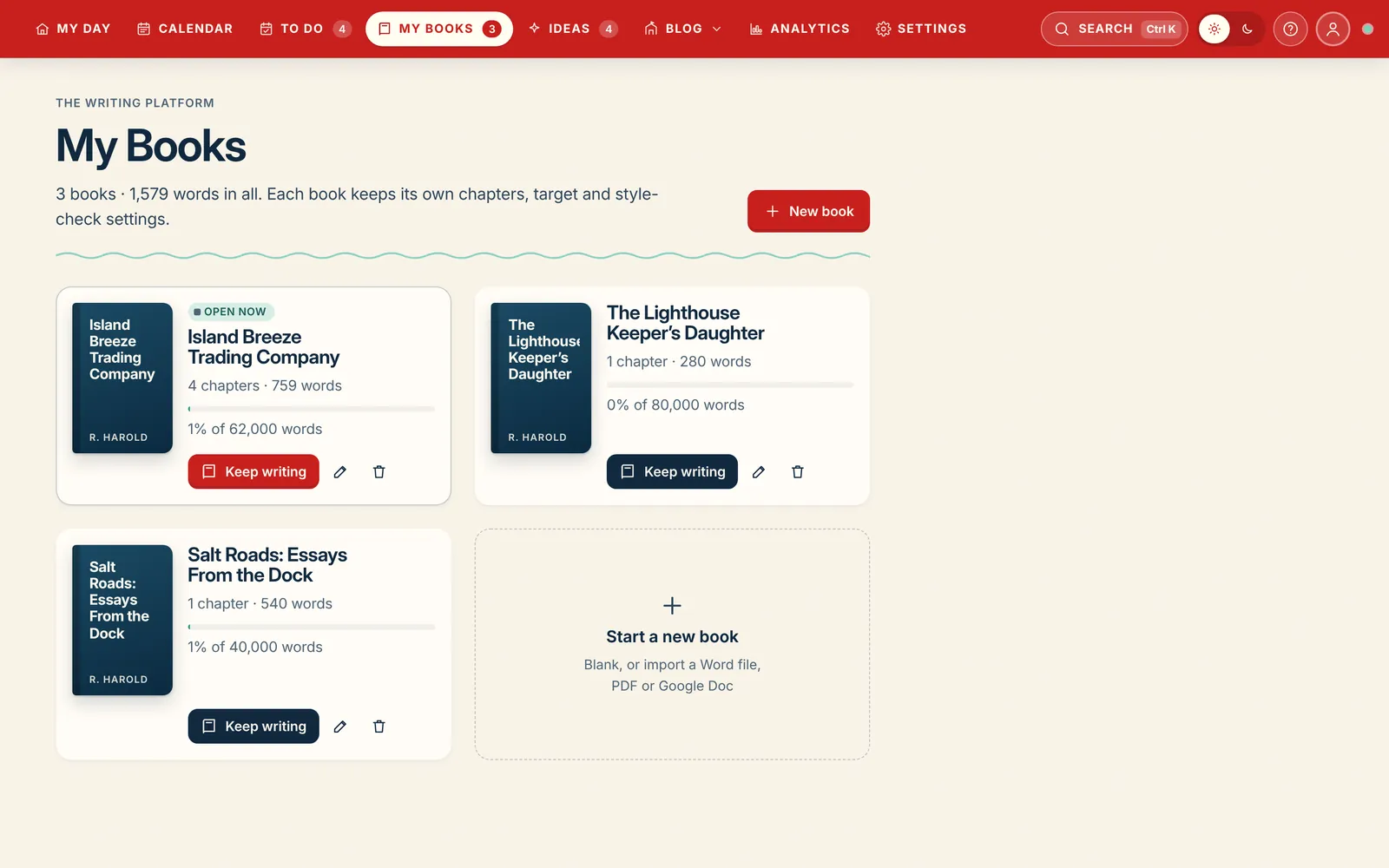
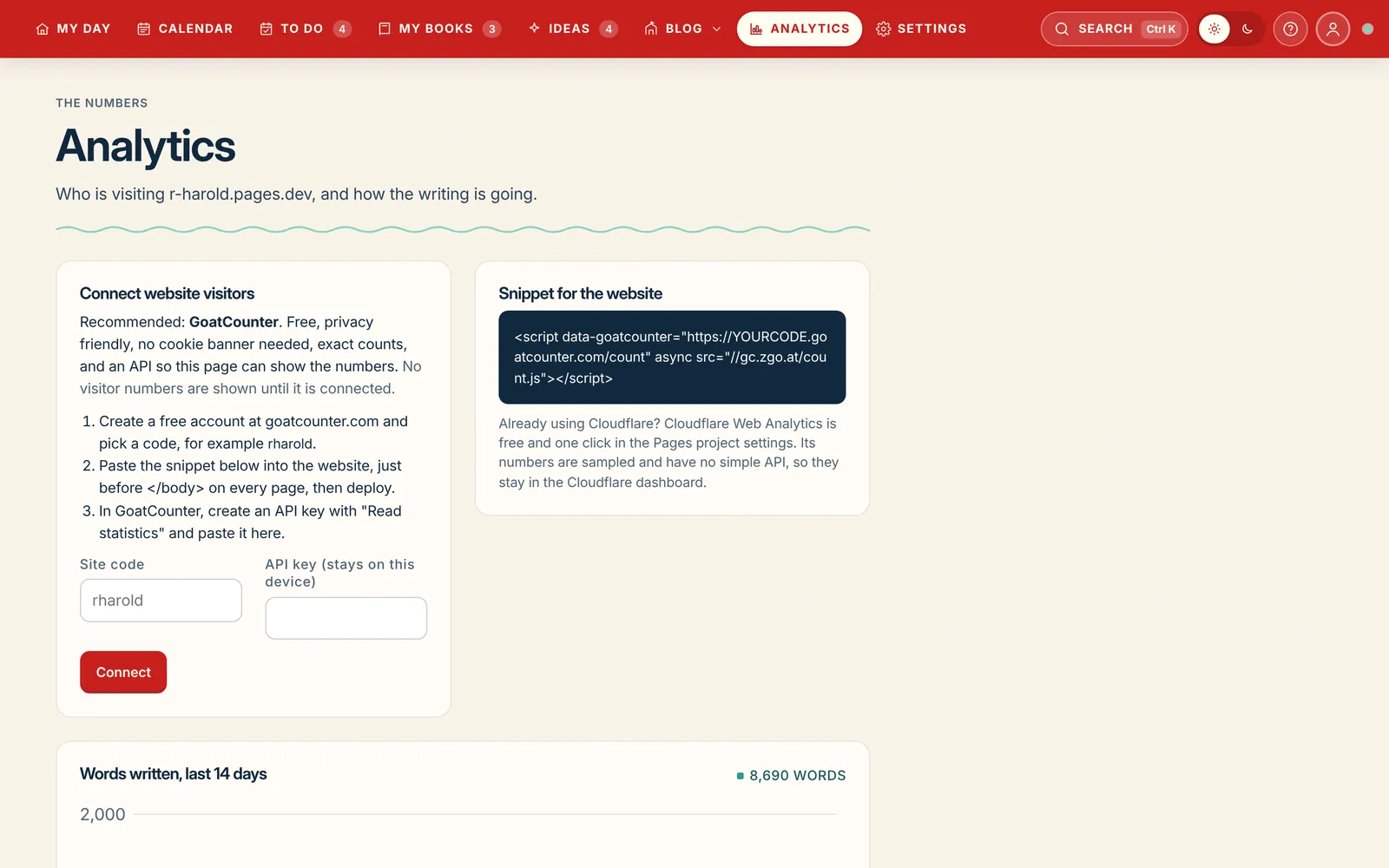
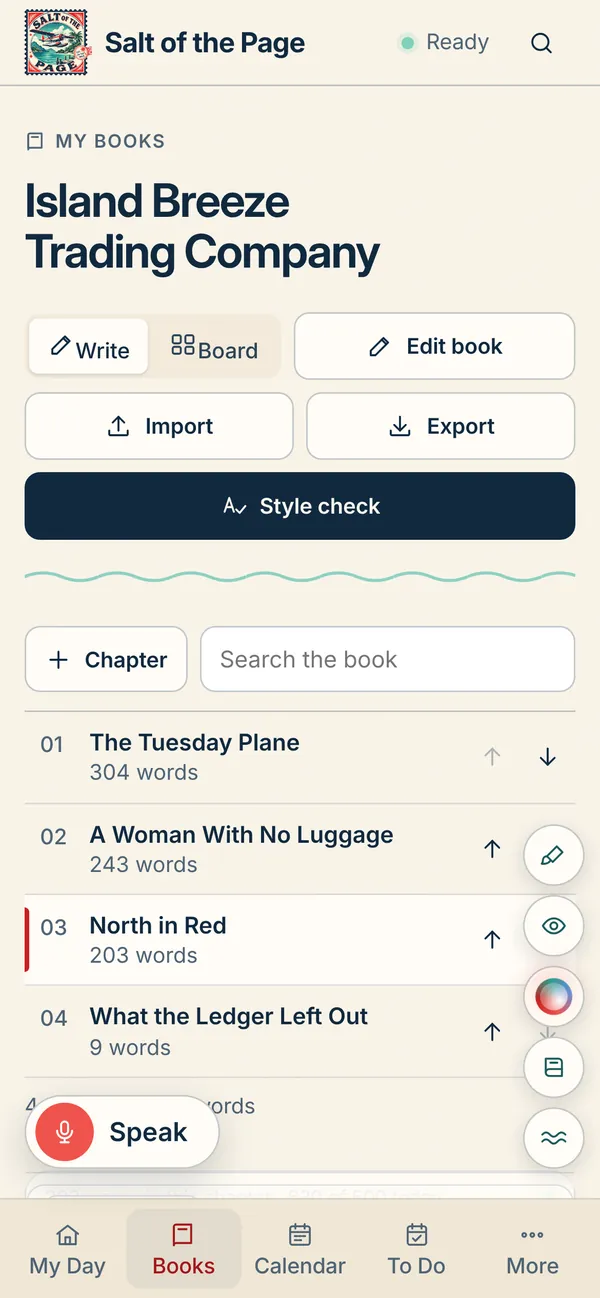
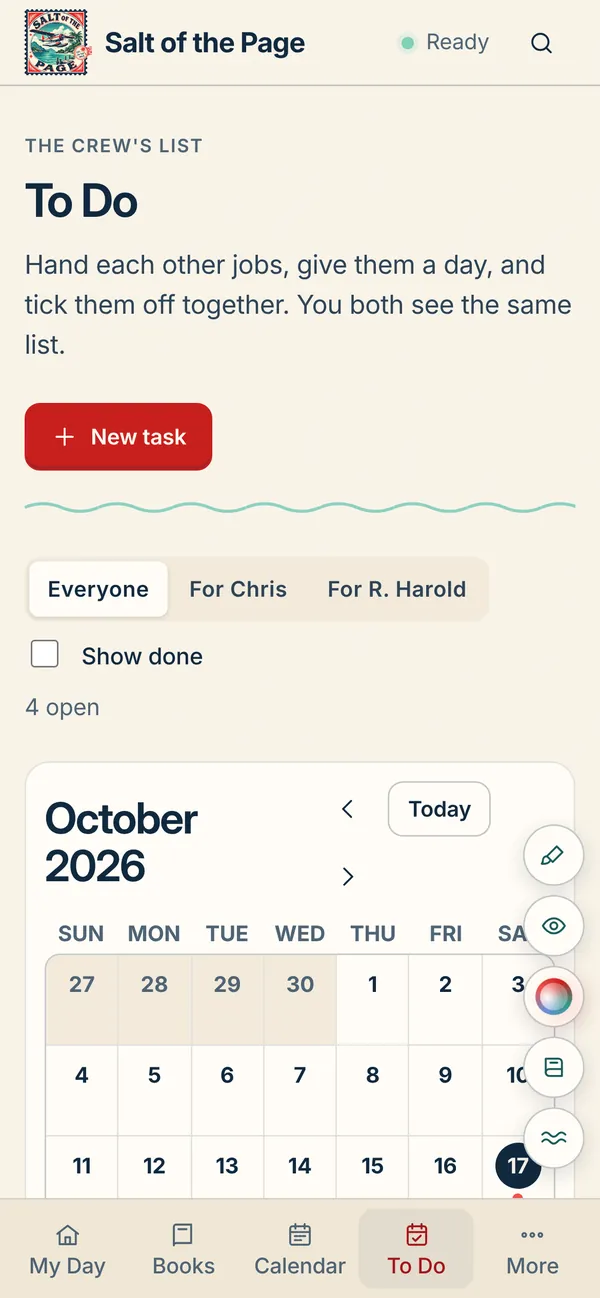
Sounds and musicNineteen focus tracks by mood, from Beach to Deep Ocean to Jazz, mixed with fourteen ambient sounds made on the device: ocean, rain, campfire, brown noise, binaural beats. Five scenes, a fade-out timer, lock-screen controls on your phone.To Do, for the crewHand each other jobs, give them a day, tick them off together. Photos on tasks, up to twenty.IdeasStory sparks, odd facts, photos from the dock. Catch it before it floats away.My BooksSeveral books on one shelf, each with its own target, deadline, cover and style-check rules.AnalyticsWho is visiting each site, and how the writing is going, on one page.
Everywhere you write
Start a chapter at your desk. Finish it on the dock.
Salt of the Page comes as a desktop app, a phone app and a web app, and they're all the same book. Write a page on your laptop, fix a line on your phone in line at the post office, check the calendar from any browser, and everything is already there when you sit back down. It works with no signal too, and catches up the moment you're back online.
Share a book with a co-writer, an editor or a spouse and you both see the same chapters, list and calendar, and who's online, without ever overwriting each other.
DesktopMac, Windows, Linux
PhoneiPhone and Android
WebAny browser, anywhere
Synced across every deviceWorks offlineLight and darkChapter history, 90 daysGuided tour on every pageCommand palette, ⌘K
Billed monthly. We'll email you before anything renews.
Not sure yet? Write in it for 30 days. If it isn't the desk you hoped for, tell us and we'll refund you, and your manuscript leaves with you as Word, EPUB and a full backup.
Questions
Things authors ask us.
Do I have to use AI?
No. AI is off by default for every book, and the studio is complete without it: First Mate, Ask the book, the dictionary, the book previews, imports and exports all run on your own device. If you never switch it on, you'll never see it.
Will the AI write my book for me?
No, and that's on purpose. Salt of the Page has no button that writes chapters. Once you connect your own AI, it's a tool to keep the creative juices flowing: it researches, brainstorms, answers questions about your own book and checks facts. Anything it suggests sits beside the page until you decide what to do with it. The writing is yours.
How do I use AI with it?
Connect the AI you already use. In Settings, pick Claude, ChatGPT or Gemini and paste a key from that company's website, or point the app at a free model running on your own computer with Ollama or LM Studio. Settings links you to the right page and checks the key works. The AI panel, the helper beside every text box and the blog idea generator then all run through it.
You pay the AI company directly for what you use, usually pennies a request (about 1¢ to tighten a paragraph with an everyday model) and a few dollars a month, and we never charge for AI or see your bill. A ChatGPT Plus or Claude Pro subscription doesn't include a key; a key is a separate pay-as-you-go account.
Where does my writing live?
On your device first, always. Every edit is written locally within two seconds, then synced to your other devices, so the desktop app, the phone app and the web all open to the same page. Chapter versions are kept for at least 90 days. You can download everything in one click at any time: Word, EPUB, Markdown and a ZIP with the manuscript, notes, Source of Truth, blog posts and ideas.
Is there a phone app?
Yes. Salt of the Page comes as a desktop app for Mac, Windows and Linux, a phone app for iPhone and Android, and a web app for any browser. They're the same book in three places, kept in sync, so you can pick up wherever you left off.
Does it work offline?
Writing, saving, First Mate and the book preview all work with no internet. The status line tells you whether you're saved on this device or shared, and the shared copy catches up when you're back online. Research and publishing need a connection, for obvious reasons.
Can I bring in a manuscript I've already started?
Yes. Import a Word file, a Google Doc, a PDF or pasted text. You'll see it split into chapters in a preview before anything is saved, and headings, italics, bold, scene breaks and footnotes survive the round trip back to Word.
Can it publish straight to Amazon KDP?
Amazon has no public way for any app to upload a book for you, so no app can. Salt of the Page makes the files KDP asks for, a validated EPUB and a print-ready PDF interior with the right margins and gutter, and walks you through the upload with a guide that also covers IngramSpark, Draft2Digital, Apple, Kobo and Barnes & Noble.
How do the blogs and newsletters connect to my sites?
Each blog has its own site address, posting days and schedule. Posts are previewed in your site's design and published with one explicit click, never automatically. Newsletters send through a newsletter service you connect in Settings, and a sign-up form goes on your site. Analytics uses a privacy-friendly counter with exact numbers and no cookie banner.
What's the difference between $150 once and $10 a month?
Own it is the whole studio as it stands today, yours forever, with fixes and security updates for that version. Stay current adds every new feature the day it ships, for as long as you subscribe, and you can cancel from Settings in one click. If you bought it and later want the updates, add the plan any time.
Can two people work on the same book?
Yes. A shared workspace syncs chapters, ideas, tasks and the calendar between you, shows who's online, and merges piece by piece so two people on different things never overwrite each other. If you both change the same chapter at once, the newer edit wins and the other is kept in that chapter's history.